
How Squarespace Uses AI in 2026
In this guide, we'll cover:
Where AI tools appear in Squarespace
How to generate website copy with AI
How Blueprint AI helps build websites
AI tools for email campaigns and ecommerce
The limitations of AI-generated content
How Squarespace Uses AI in 2026

Factoid: Squarespace Inc. uses partnerships with Open AI, Anthropic, and Google to support how Squarespace AI works.
As a Squarespace designer, I view AI as a starting point rather than a finished solution. It can help generate ideas and first drafts, but the strongest websites still rely on thoughtful content, strategic design, and a clear understanding of the audience.
Artificial intelligence seems to be everywhere in 2026, and website building is no exception. From generating content to helping users create an entire website from a few prompts, AI has become a major part of many website platforms.
Squarespace has embraced AI more openly than many competitors, introducing tools designed to help users create content, launch websites faster, and simplify parts of the website-building process.
While these tools can be helpful, it's important to understand what they actually do—and where human oversight is still necessary.
As always, remember that Squarespace is a DIY website platform. While AI tools can assist with content creation, site owners are ultimately responsible for reviewing, editing, and maintaining the content published on their websites.
Let's take a look at some of the AI features currently available in Squarespace.
AI Text Generation
One of the earliest AI features introduced by Squarespace was AI-generated text.
Users can generate content in several areas of the platform, including:
Product descriptions
Text blocks
Blog posts
Email campaigns
When creating a text block, select the three-dot menu and choose the AI writing option. After reviewing the applicable terms, you'll be able to choose a content style such as:
Paragraph
Sales Pitch
Blurbs
From there, enter a prompt describing your business, product, or topic and Squarespace will generate content for you.
Should You Publish AI Content As-Is?
In most cases, no.
AI-generated text can be a helpful starting point, but it often lacks the personality, expertise, and specific details that make a website stand out. Before publishing any AI-generated content, take time to:
Fact-check information
Add your own expertise
Adjust the tone to match your brand
Include real examples and experiences
Proofread carefully
The best results usually come from treating AI as a draft assistant rather than a replacement for human writing.
AI Website Creation
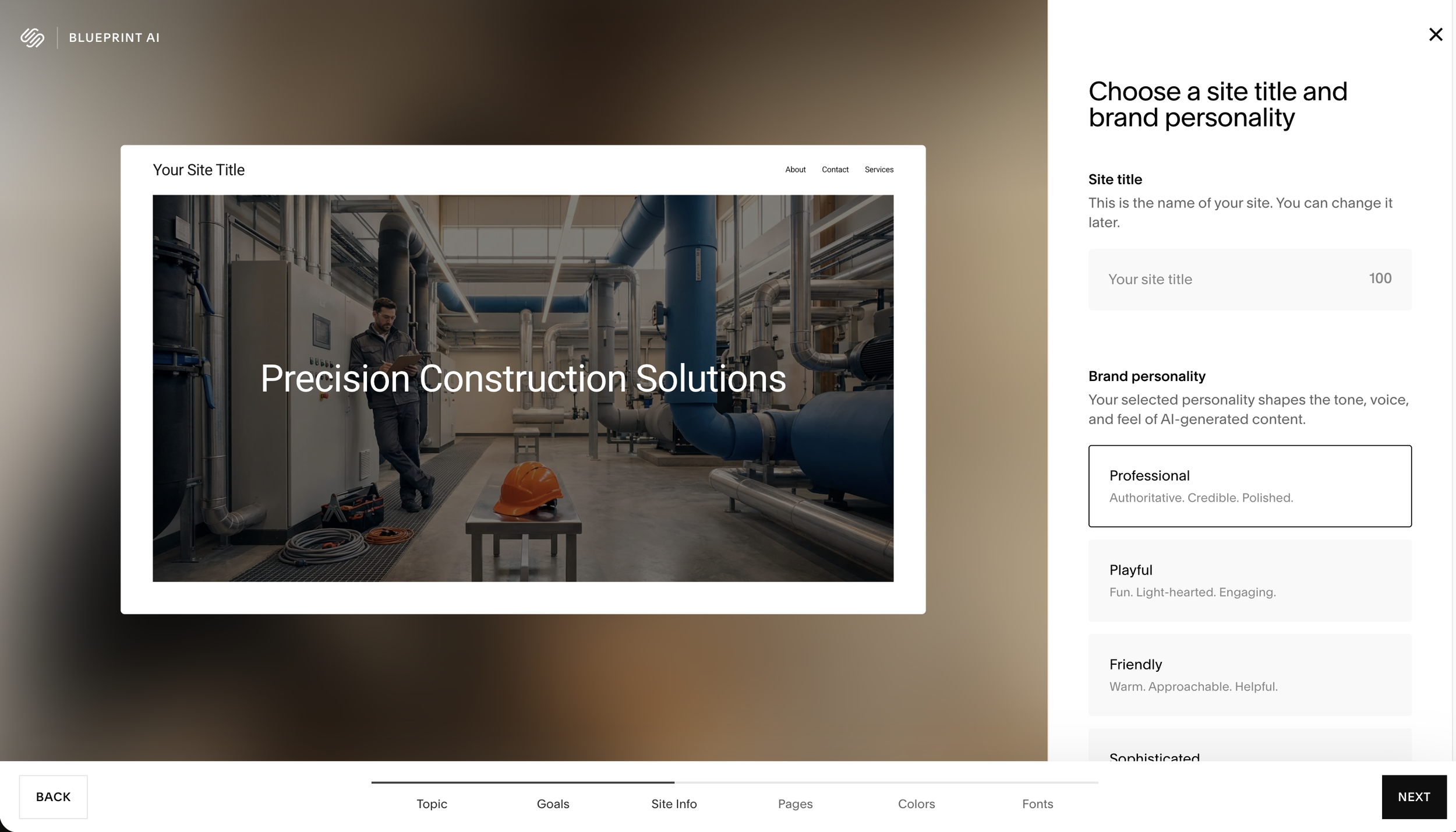
Squarespace Blueprint AI allows users to generate a website framework by answering a series of questions about their business and goals.
Rather than starting from a blank template, users receive:
Suggested page structures
Layout recommendations
Design direction
Content guidance
This can significantly reduce setup time for new websites.
However, Blueprint AI is best viewed as a starting point. Most successful websites still require customization, thoughtful content, and strategic design decisions to effectively represent a business.
AI for Email Marketing
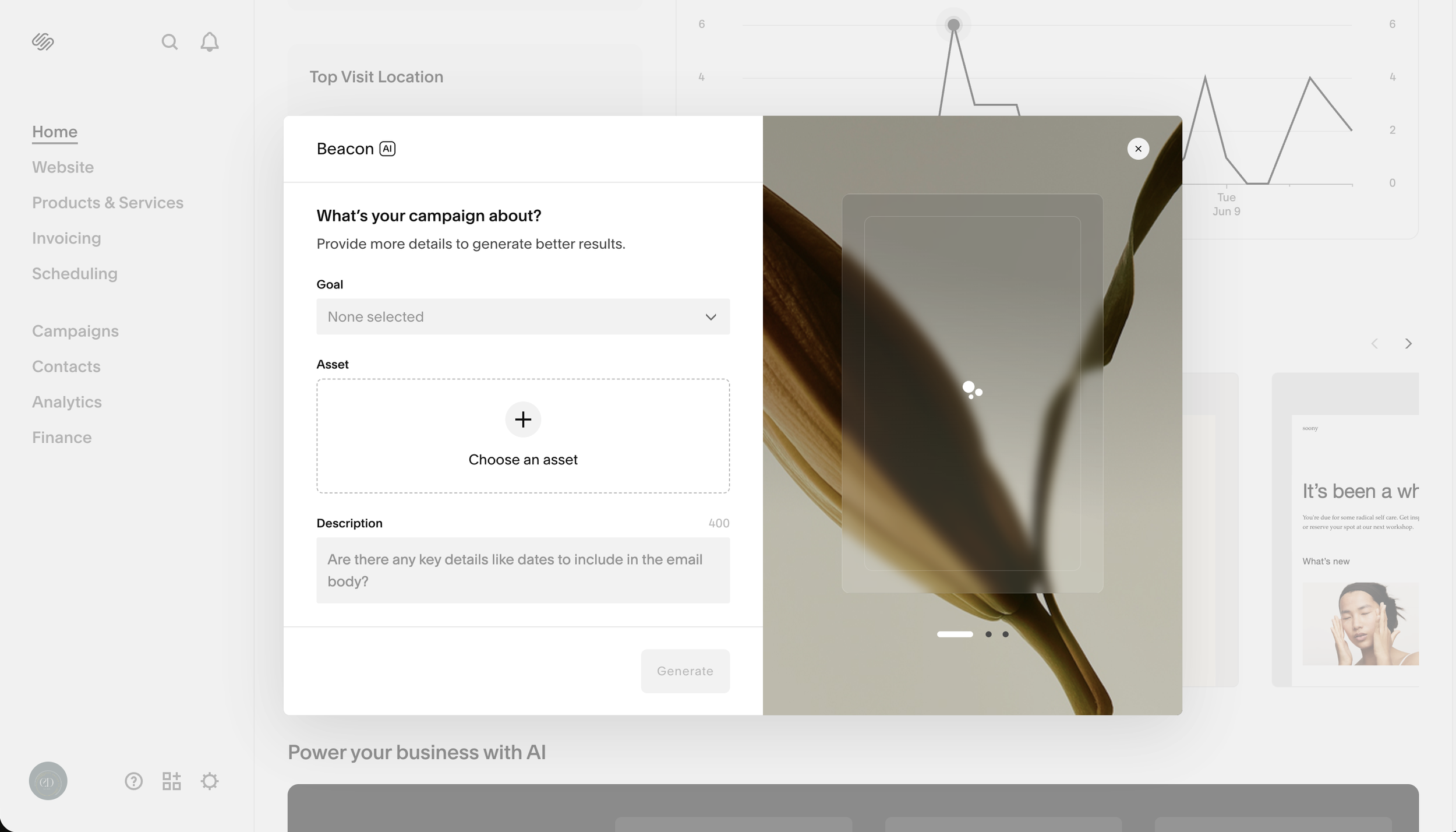
Squarespace Email Campaigns also includes AI-powered writing assistance.
Users can generate:
Subject lines
Promotional copy
Product announcements
Newsletter content
As with website content, AI can help overcome writer's block and speed up the drafting process, but final edits should always be reviewed by a human.
AI and E-Commerce
For online stores, AI can assist with generating product descriptions and marketing content.
This can be particularly helpful for businesses with large inventories that need a starting point for writing dozens or hundreds of product descriptions.
Even so, product details, specifications, pricing, and unique selling points should always be reviewed for accuracy.
Who Powers Squarespace AI?
Squarespace uses partnerships with several leading AI providers to power its AI features.
These partnerships include technologies from:
OpenAI
Anthropic
Google
The specific provider used may vary depending on the feature and functionality being offered.
Final Thoughts
Squarespace AI can save time, reduce creative friction, and help users launch websites faster than ever before.
That said, AI works best when paired with human expertise. Whether you're creating website copy, product descriptions, or email campaigns, your unique voice, experience, and understanding of your audience remain the most valuable parts of your website.
Think of Squarespace AI as a tool—not a substitute for thoughtful content and strategic design.
We’ll get started with one of the first AI features Squarespace launched - AI generated text. You can use AI to generate text in various areas of the platform including some of the most popular:
‣ Product Descriptions
‣ Text Blocks
‣ Blogs
‣ Email Campaigns
When creating a text block, select the 3 twirling dots to begin using the feature. Of course, you’ll need to read Squarespace’s agreement terms for yourself. Afterwards, you can choose from Paragraph, Sales Pitch, or Blurbs then enter your prompt.
Here’s a quick demo of some of the most commonly used features above:
Squarespace AI feature

FAQ
Does Squarespace AI write blog posts?
Yes, Squarespace can generate draft blog content using AI writing tools. However, content should always be reviewed for accuracy and brand voice before publishing.
Can Squarespace AI build a website?
Squarespace Blueprint AI can generate a website framework and design suggestions, but users are still responsible for customizing content and layout.
Is Squarespace AI free?
AI features are included within supported Squarespace plans, though available functionality may vary over time.
While AI can help users get started, many businesses eventually reach a point where they need a more customized website strategy. If you're looking for help designing or redesigning a Squarespace website, learn more about my Squarespace website design services.
Not Sure If Your Website Needs Improvement?
Download our free Squarespace Website Audit Checklist and identify common SEO, design, and conversion issues that may be costing you leads.
